
Vapes and Carts
Why Is My Jeeter Juice Not Hitting? 6 Fixes for Charging, Battery & Clogs
Nov
Last updated: 12 November 2026 · For adults of legal age only (21+ in most U.S. states)
If your Jeeter Juice is not hitting, the cause is usually simple: a low battery, the wrong activation method, blocked airflow or cold oil. Sometimes the device is empty, defective or counterfeit. This guide walks through six checks in order, with safety notes along the way.
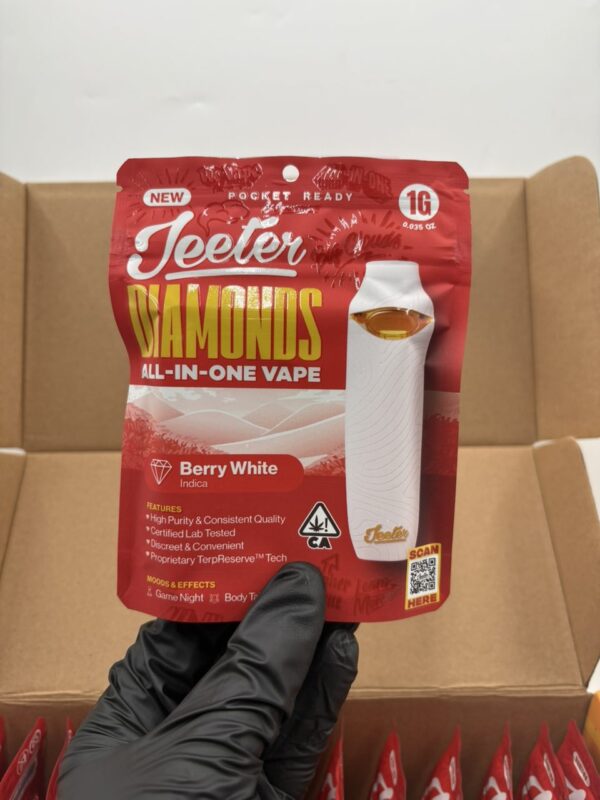
Jeeter sells products in different formats, so exact steps vary. The original Jeeter Juice Live Resin Straw line has been discontinued, and counterfeit versions may still circulate, so if a device keeps failing, check what you actually have. Where the instructions on your package differ from this guide, follow the package.
Quick answer: Charge it, confirm whether it needs a button press or a draw, make sure a cartridge is seated on a compatible battery, check the mouthpiece and air holes, let it reach room temperature, and stop using it if it still fails or shows warning signs.
Before you start: safety and legal check
- Legal. Cannabis and THC vape laws differ by country, state and city. Genuine Jeeter products are made for licensed, regulated markets. This guide is not legal advice.
- Follow the package. Instructions differ by product, and the manufacturer’s directions come first.
- Do not open it. Never open, puncture, take apart or modify the device.
- Do not heat it. Never use a flame, hair dryer, microwave or hot water to warm it.
- Stop at once if the device is hot, swollen, smoking or leaking.
Quick diagnosis: match the symptom
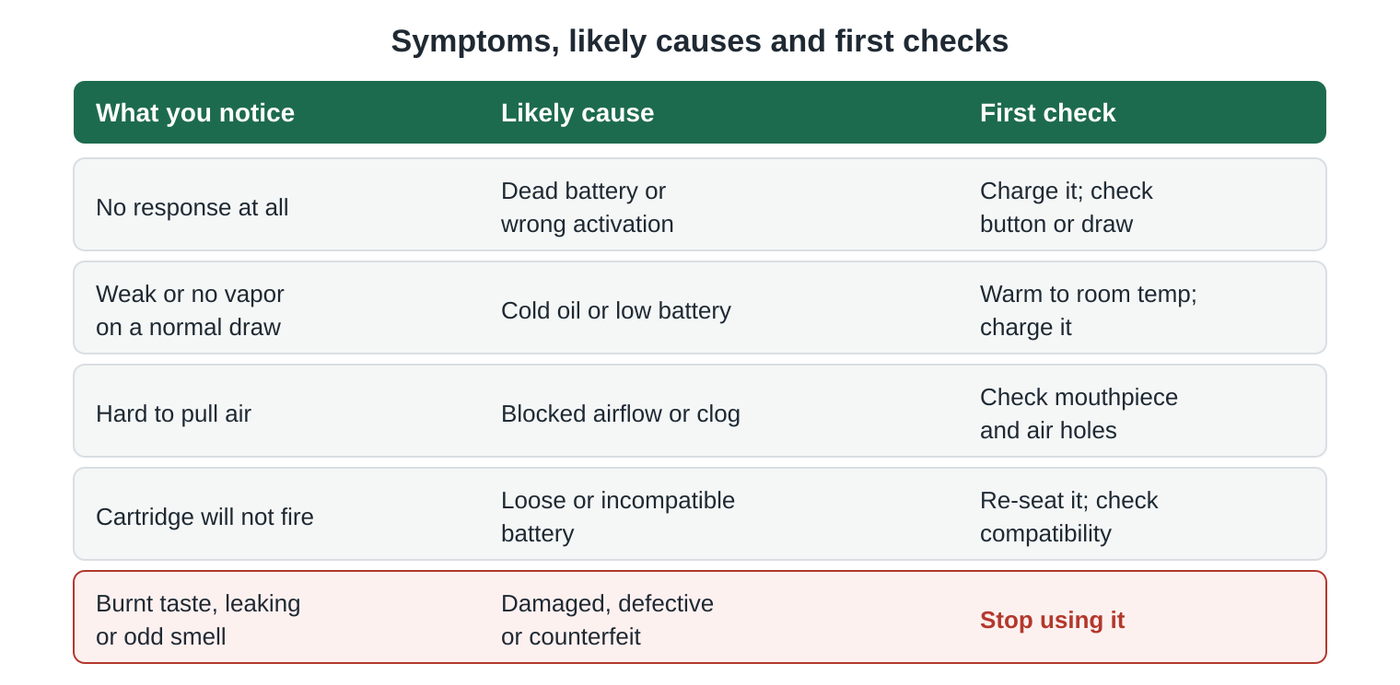
Find what you notice in the first column, then jump to the matching fix below.
| Symptom | Possible cause | What to check |
|---|---|---|
| No vapor | Battery or activation | Charge it with the cable the manufacturer specifies, then confirm whether it needs a button press or a draw. |
| Blinking light | Battery or device error | Charge it, then check your device’s instructions for what the blinking means. Patterns vary by device. |
| Weak airflow | Blocked airflow | Look for debris in the mouthpiece and air holes, wipe the outside, and take slow, gentle draws. |
| Cartridge not working | Connection issue | Re-seat the cartridge snugly on a compatible battery and use the recommended setting. |
| Weak performance after cold storage | Cold oil | Let it reach room temperature. Do not use a flame, hair dryer or microwave. |
| Still not working | Empty, defective or counterfeit | Check the product name, batch and QR code, then stop using it and contact the retailer. |
6 Reasons Your Jeeter Juice Is Not Hitting (And What to Check)
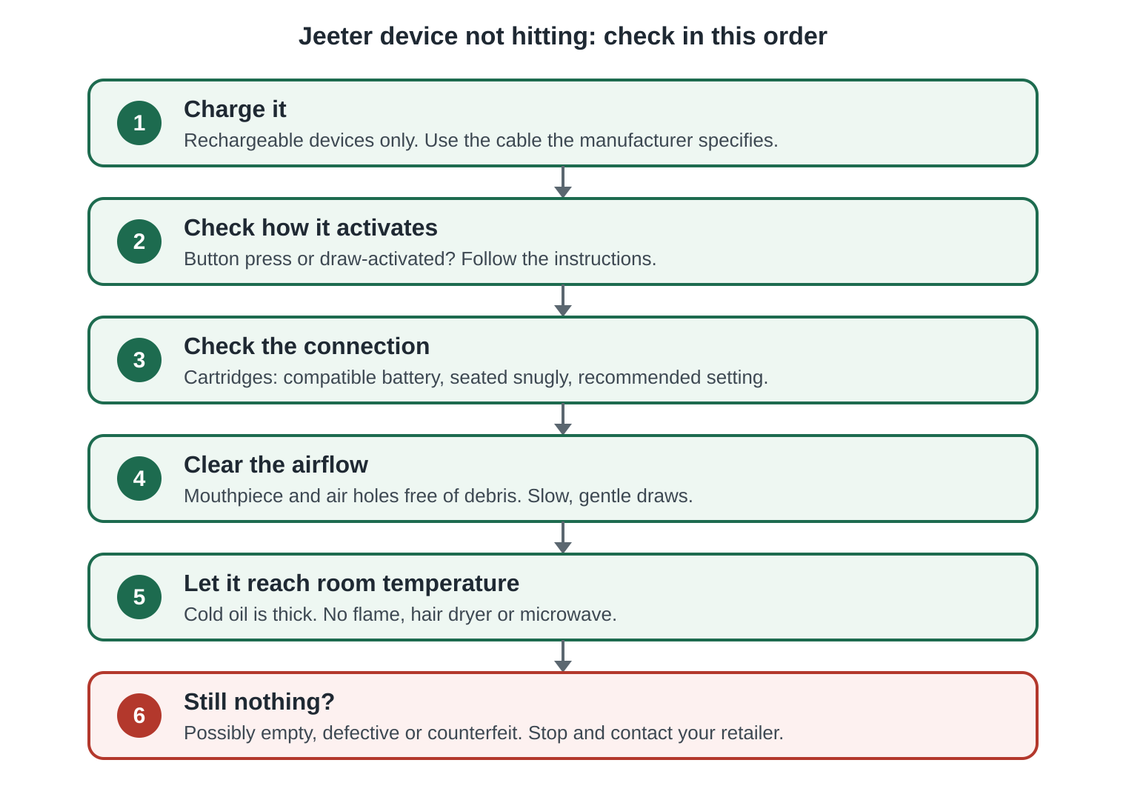
Work through them in order. Most problems are solved by the first four.
1. Charge it properly
Many disposables are rechargeable, but not all of them are, and charging ports vary. Some use USB-C, some use a different connector and some have no port at all. Check the package for your exact device.
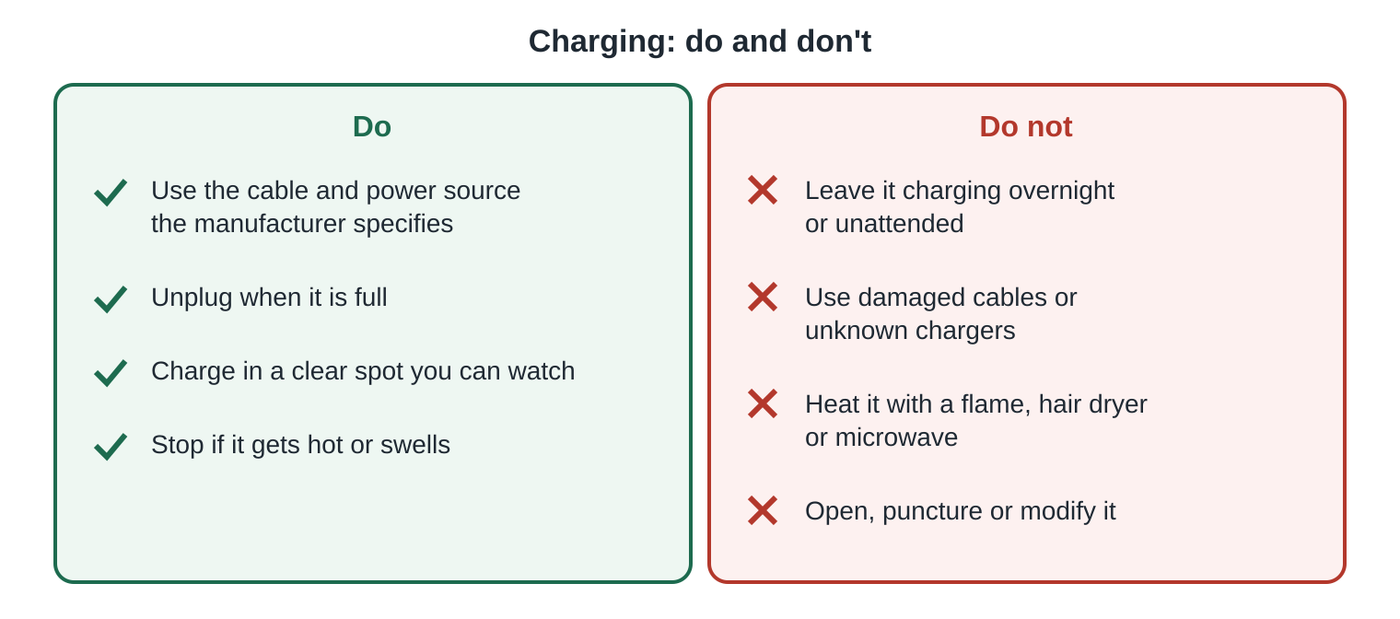
- Use the cable and power source the manufacturer specifies.
- Give it time. Charging time varies by device, so follow the instructions rather than a fixed number.
- Read the indicator light the way the instructions describe. Blinking or a color change can mean charging, full, low battery or an error, depending on the device.
- Unplug it once it is full, and do not leave it charging unattended.
- If it will not charge, or it gets hot while charging, stop using it.
2. Check how it activates
Some devices fire when you draw on them. Others need a button press. If you press a button on a draw-activated device, or just draw on one that needs a button press, nothing will happen.
Cartridge batteries often need a set number of button presses to turn on or off, and may blink to show their state. The exact pattern differs between batteries, so check the instructions that came with yours.
3. Check the cartridge and battery connection
This applies to cartridges, which need a separate battery.
- Use a battery that is compatible with the cartridge’s thread and the maker’s guidance. Many cartridges use a 510 thread, but check rather than assume.
- Screw the cartridge on until it is snug. Do not overtighten it.
- Make sure the contacts are clean and dry.
- Use the power setting recommended for your cartridge. Higher is not better, because too much heat can burn the oil and cause a harsh taste. There is no single best voltage for every cartridge, so start at the lowest recommended setting and adjust only if the instructions allow.
- If you can, try the cartridge on another compatible battery to find out whether the battery or the cartridge is the problem.
4. Clear the airflow
- Look at the mouthpiece and air holes for lint, debris or residue.
- Wipe the outside with a dry, clean cloth.
- Take slow, gentle draws. Long, hard pulls can overheat the device and draw oil toward your airway.
- Do not push pins or other tools into the mouthpiece or air holes, and do not blow hard into it. Both can damage the device or push oil where it should not go.
5. Let it reach room temperature
Cold thickens the oil, which can make a device hit weakly or not at all. If it has been in a cold car or outdoors, bring it to normal room temperature and give it time. Avoid leaving it in a hot car or direct sun as well.
Do not warm it with a flame, hair dryer, microwave or hot water. Lithium batteries and oil can be dangerous when overheated.
6. Check whether it is empty, defective or counterfeit
If fixes 1 to 5 do not help, the device may be empty, defective or counterfeit. Check these:
- The exact product name and format against Jeeter’s official website.
- The Metrc Retail ID QR code on the package, where there is one. Not every package or market has one, and a QR code alone does not prove authenticity.
- Whether the batch number matches the lab report (COA).
- The packaging and labeling against the California Department of Cannabis Control’s packaging and labeling rules.
Our Jeeter Juice real vs fake guide covers these checks in more detail. If the device still will not work, do not open or modify it. Contact the retailer where you bought it. Counterfeits are far more likely to come from unlicensed sellers than from licensed retail.
What Does a Blinking Jeeter Vape Light Mean?
A blinking light is one of the most common reasons people look for troubleshooting help, and what it means depends on the battery or device. Depending on the product, blinking can indicate that the battery is charging, that it is fully charged, that the battery is low, or that there is an error, such as a poor connection between a cartridge and its battery. Check product features
Different batteries and devices use different blink patterns, colors and counts, so there is no universal Jeeter meaning. Check the instructions that came with your exact device rather than relying on a general chart or a forum post.
- Note when it blinks: while charging, when you press the button, or when you draw.
- Charge it as instructed, then try again.
- For a cartridge, re-seat it and make sure it is on a compatible battery.
- If it keeps blinking and will not fire, or it blinks while the device is hot, stop using it and contact the retailer.
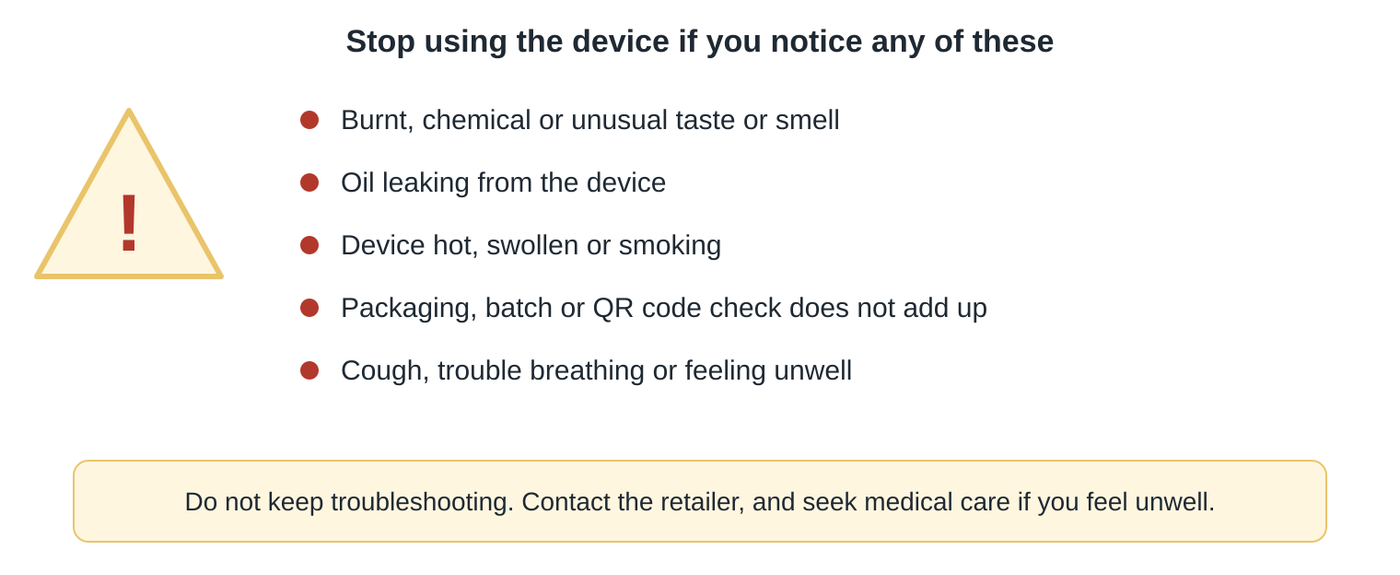
When to stop using it
Do not keep troubleshooting a device that shows any of these signs:
- A burnt, chemical or unusual taste or smell
- Oil leaking from the device
- A device that is hot, swollen or smoking
- Packaging, batch or QR code details that do not add up
- Coughing, trouble breathing or feeling unwell
The reason people worry about fake or unverified vapes comes from the 2019 U.S. lung-injury outbreak (EVALI). The CDC found that vitamin E acetate, an additive in some THC vape products, was strongly linked to that outbreak. That does not mean all THC vape products contain it. The CDC recommended not using THC vapes, particularly from informal sources.
If you or someone you know is struggling with cannabis use in the United States, SAMHSA’s National Helpline is free, confidential and open 24/7 at 1-800-662-HELP (4357). It is a U.S. service. Outside the U.S., contact your local health service.
Jeeter Juice not hitting: FAQ
Why is my Jeeter Juice not hitting?
The most common causes are a low battery, the wrong activation method, blocked airflow, cold oil or an incompatible battery. It can also be empty, defective or counterfeit. Work through the six fixes in order.
Why is my Jeeter Juice cart not working?
Check that the cartridge is seated snugly on a compatible battery, that the battery is charged and turned on, and that you are using the recommended setting. Try another compatible battery to find out which part is at fault.
Why is my Jeeter Juice disposable not working?
Check whether it is rechargeable and charge it as instructed, confirm whether it is draw-activated or needs a button, and look for blocked air holes. If it still fails, contact the retailer.
Do Jeeter Juice carts blink?
Some batteries and devices have a light that blinks. What it means differs by device: it can indicate charging, a full battery, a low battery or an error. See what a blinking light can mean, and check the instructions for your exact product.
How do I know when my Jeeter Juice is charged?
If the device has an indicator light, the instructions explain what it shows when charging is complete. The signal varies by product, so check the package. Unplug it once it is full.
How long does a Jeeter Juice take to charge?
It varies by device, and some are not rechargeable. Follow the instructions for your exact product rather than a fixed time.
What is the best voltage for Jeeter Juice carts?
There is no single best setting. Use the setting recommended for your cartridge, and start low. Too much heat can burn the oil and cause a harsh taste.
Can I fix a clogged cart by heating it?
No. Do not use a flame, hair dryer, microwave or hot water. Let the device reach normal room temperature, take slow, gentle draws, and contact the retailer if it still does not work.
Could a Jeeter Juice that will not hit be fake?
It can be. A device that keeps failing is one reason to check the product name, batch, QR code and seller. The original Jeeter Juice Live Resin Straw line has been discontinued, and counterfeits may still circulate.
Where can I get a replacement?
Ask the licensed retailer where you bought it. Return and exchange policies vary by retailer and market.
Sources
- Jeeter official website: brand and current product information
- Metrc Retail ID: how the QR code works
- California DCC: Packaging requirements for final form cannabis goods
- California DCC: Labeling requirements for manufactured cannabis products
- California DCC: Requirements for cannabis goods
- CDC MMWR: Characteristics of a nationwide EVALI outbreak, August 2019 to January 2020
- CDC (archive): Outbreak of lung injury associated with e-cigarette, or vaping, products
- SAMHSA National Helpline (U.S. only)
Legal information checked 12 November 2026. Laws change, so verify before you buy or sell. This guide is general information, not legal or medical advice. Always follow the manufacturer’s instructions for your device.
